
Computer repair
This is how we repair home computers: desktops, laptops and mini PCs. First we find the fault with a diagnosis, then we give you a fixed quote and only replace what is actually broken.

How we help you
Every computer is opened and checked in our workshop: we test the power supply, memory, drive and temperatures, clean out built-up dust and renew the thermal paste when needed. Before returning it, we test it thoroughly to make sure the fault doesn’t come back.
- No-obligation diagnosis: you’ll know what’s wrong with your computer before paying anything.
- Replacement of screens, keyboards, batteries, drives, memory and power supplies.
- Internal cleaning, thermal paste replacement and fan checks to stop overheating.
- Bring it to the workshop, send it to us or drop it off at a PickUp point near you.
Other services
Request this service
We will reply on the same working day.
How do we repair it?
We always follow the same method: first we understand why the computer failed and then we repair it, so the fault doesn’t come back.
We analyse the causes
We check the computer thoroughly and ask you when it fails and since when. We test the power supply, temperatures, drive, memory and system.
We identify the problem
We pinpoint the exact source of the fault and explain what’s wrong in plain language, with a fixed quote.
We repair it
With your approval, we fix the fault: we replace only the part that failed or repair the damaged component.
We check that it works
We test the computer thoroughly before returning it to make sure the fault is solved.
How we repair each type of computer
Desktops, laptops and mini PCs have different faults and are repaired in different ways. These are the jobs we do most often in the workshop.

Desktop computers
We test the power supply, motherboard and memory, replace the faulty part and tidy up the cabling so the computer can breathe better.

Laptops
We replace screens, keyboards, hinges and batteries, and clean the fan and heatsink, the usual cause of overheating.

Mini PCs
We upgrade memory and storage, replace power adapters and solve the temperature issues that come with their compact size.
Part replacement
A part doesn’t always need replacing, although sometimes it’s the safest option. We explain what’s best in your case before touching anything.
When it’s best to replace the part
If a drive starts failing, a battery is swollen, a screen is broken or a power supply has burnt out, the most reliable fix is to replace it with the right part, compatible with your computer.
When we repair the component
If the fault is in a connector, a solder joint, a fan or a specific component on the board, we repair it instead of replacing the whole part, saving you money.
Always with your approval
Before repairing, we tell you which option we recommend and how much each one costs, so you can decide with all the information.
Replacement parts from our shop
When a part needs replacing, we use quality components like these: memory, power supplies, cooling and thermal paste.
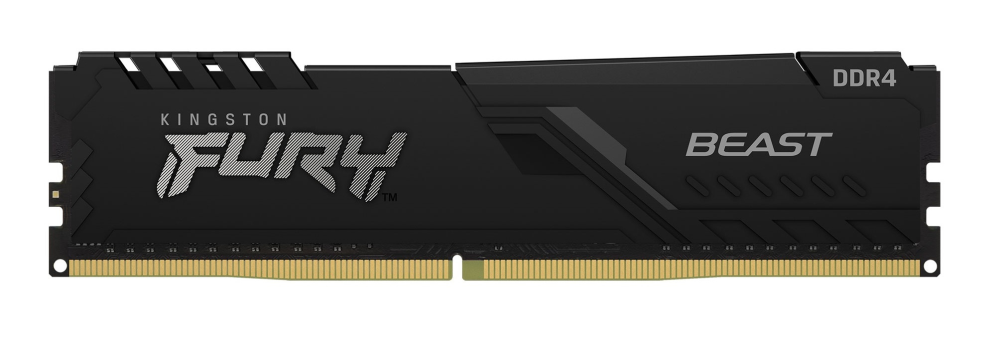
Kingston Technology
Kingston Technology FURY Beast 32GB 3200MT/s DDR4 CL16 DIMM Black
Memoria RAM
View in the shop
Antec
Antec SIGNATURE 2200 Platinum unidad de fuente de alimentación 2200 W 20+4 pin ATX ATX Negro
Fuentes de Alimentación
View in the shop
GIGABYTE
GIGABYTE AORUS WATERFORCE X II 360 ICE Refrigerador de CPU líquido AIO
Ventiladores
View in the shop
NOX
NOX HUMMER THERMA PRO | Pasta térmica alto rend.4g
Pasta Térmica
View in the shop
Team Group
Team Group TTCED432G3600HC18JDC01 módulo de memoria 32 GB 2 x 16 GB DDR4
Memoria RAM
View in the shop
THERMALTAKE
Thermaltake Toughpower PF3 unidad de fuente de alimentación 1200 W 24-pin ATX ATX Negro
Fuentes de Alimentación
View in the shop
GIGABYTE
GIGABYTE AORUS WATERFORCE X II 240 Refrigerador de CPU líquido AIO
Ventiladores
View in the shop
NOX
NOX HUMMER THERMA FLOW | Pasta térmica alto rend.8g
Pasta Térmica
View in the shop