
Computer repair
This is how we repair your company’s equipment: office desktops, business laptops and mini PCs at workstations, reception desks or digital signage. We diagnose quickly, give you a fixed quote and prioritise the devices that bring your business to a halt.

How we help you
We know that a broken computer means someone who can’t work. That’s why we diagnose at your offices or in our workshop, repair at component level when it pays off and let you know if replacing the device makes more sense. Every job is logged in the device’s history so you can make better decisions in the future.
- Priority service for the devices that stop your business.
- Repairs at your offices or in our workshop, depending on the fault.
- VAT invoice and volume pricing if several devices are affected.
- A service history for every device in your company.
Other services
Request this service
We will reply on the same working day.
How do we repair it?
We follow an orderly method so the device is back up and running as soon as possible and the fault doesn’t spread to other workstations.
We analyse the causes
We check the device at your offices or remotely and note when it fails and what the user was doing.
We identify the problem
We locate the fault and send you a fixed quote, with the timeframe and the impact on your business.
We repair it
We repair at your offices or in the workshop, replacing the faulty part or repairing the component, whichever makes more sense.
We log the job
We test the device, return it to its workstation and log the job in its history.
How we repair your office equipment
Each type of device has its typical faults. These are the jobs we do most often for businesses.

Office desktops
We replace power supplies, drives and memory, and clean and renew the cooling of fixed workstations to extend their lifespan.

Business laptops
We replace screens, keyboards, batteries and charging ports on the laptops used by your sales team and remote workers.

Mini PCs
We repair and upgrade the mini PCs in workstations, reception areas, meeting rooms and digital signage.
Part replacement
Across a fleet of devices, choosing wisely between replacing and repairing saves money and downtime. We explain the most cost-effective option in each case.
When we replace the part
Drives with errors, worn-out batteries, burnt power supplies or broken screens: replacing them with the right part is the most reliable option for a work device.
When we repair the component
Connectors, fans or board components: repairing them avoids replacing expensive parts and extends the device’s life.
When it’s time to replace
If repairing an old device costs more than it’s worth, we tell you and suggest a planned replacement.
Replacement parts and accessories for your office
Quality memory, power supplies, cooling and docking stations for your company’s equipment, available in our shop.
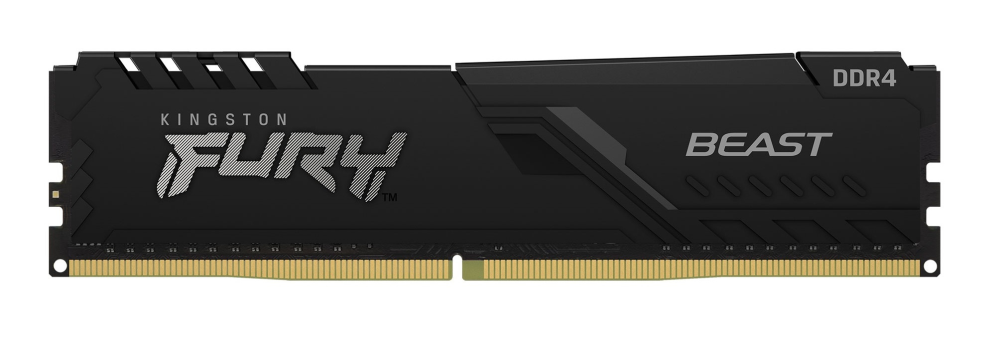
Kingston Technology
Kingston Technology FURY Beast 32GB 3200MT/s DDR4 CL16 DIMM Black
Memoria RAM
View in the shop
Antec
Antec SIGNATURE 2200 Platinum unidad de fuente de alimentación 2200 W 20+4 pin ATX ATX Negro
Fuentes de Alimentación
View in the shop
GIGABYTE
GIGABYTE AORUS WATERFORCE X II 360 ICE Refrigerador de CPU líquido AIO
Ventiladores
View in the shop
DELL
DELL Pro Thunderbolt 4 SD25TB4 Alámbrico Negro
Replicadores de Puertos
View in the shop
Team Group
Team Group TTCED432G3600HC18JDC01 módulo de memoria 32 GB 2 x 16 GB DDR4
Memoria RAM
View in the shop
THERMALTAKE
Thermaltake Toughpower PF3 unidad de fuente de alimentación 1200 W 24-pin ATX ATX Negro
Fuentes de Alimentación
View in the shop
GIGABYTE
GIGABYTE AORUS WATERFORCE X II 240 Refrigerador de CPU líquido AIO
Ventiladores
View in the shop
DELL
DELL Pro SD25 Alámbrico USB 3.2 Gen 2 (3.1 Gen 2) Type-C Negro
Replicadores de Puertos
View in the shop